










Vector Artwork Checklist Before You Order Merch
Send production-ready logo files so proofs do not burn your calendar.
 By Promogator Staff
•
•
4 min read

This vector artwork checklist is what to send before you order custom branded merch so the first proof is usable. Prefer AI, EPS, SVG, or PDF with outlined fonts. Include Pantone numbers for spot-color methods. If you only have a website PNG, send it — free vectorization is offered — and plan an extra proof pass.
Transparent backgrounds beat white boxes on colored products. One imprint location is faster when the deadline is tight. Match the file to the method: vector for screen print and pad print; simple bold marks for embroidery; high-res PNG for DTG; single-color vector for laser. Details live on Artwork Requirements and speed tips on Rush Services.
Remember the production clock starts when you approve the proof. Approving the same day is the cheapest insurance for holiday and trade-show dates.
Follow this vector artwork checklist before you order custom printed items so proofs do not burn calendar days.

Quick answer: Prefer a vector logo (AI, EPS, SVG, or PDF with outlined fonts). Include Pantone (PMS) numbers when you have them. If you only have a PNG/JPG from a website, send it anyway — Promogator offers free vectorization — but expect the first proof to take an extra review pass. Production does not start until you approve the proof.
Why vector files save calendar days (vector artwork checklist)
Artwork Requirements (fetched Nov 5, 2026) explains the difference: vector art is math-based paths that scale without getting blurry; raster art is a pixel grid that softens when enlarged. The same page lists preferred vector formats (.AI, .EPS, .SVG, .PDF) and accepted high-res rasters (.PNG, .PSD, .TIFF, .JPG at 300 DPI or higher).
The Rush Services speed tips match that advice: “Send production-ready artwork” — vector files with outlined fonts — and “Include PMS colors up front.”
Vector artwork checklist before you order
- Locate the original logo file, not a screenshot from the website (website images are often ~72 DPI).
- Prefer vector. If you only have raster, ask for free vectorization and plan one extra proof cycle.
- Transparent background for PNGs (avoid a white box on colored products).
- PMS / Pantone numbers for spot-color methods (screen print, pad print, embroidery thread matching).
- One imprint location when the deadline is tight (multi-location adds setup).
- Name one approver so the proof doesn’t sit.
- Upload during checkout or email the file with your order number once assigned.

Match the file to your custom printing method
From Artwork Requirements tips by method:
- Screen printing: vector; separate spot colors; avoid gradients/photos
- Embroidery: simple bold shapes; specify thread colors or let the team match
- DTG / digital: high-res PNG @ 300 DPI with transparency; CMYK preferred
- Laser engraving: vector; single color; no gradients
- Pad printing: vector; keep designs simple for small imprint areas
- Sublimation: 300 DPI at full size; CMYK; white areas show substrate

Common mistakes that burn days
Quoted themes from the Artwork Requirements page:
- Pulling the logo from a website
- White background instead of transparent
- Too many spot colors for the chosen method
- Extremely fine detail or tiny text
What it means for your order
Send art with the order, not after. The production clock starts at proof approval (Rush Services; e-proofs). For holiday 2026 orders, have your art ready and the proof approved fast, because the production clock only starts at approval and customized orders have little slack near the holidays.
Shop examples where clean art matters
- Penny Wise Cotton Canvas Tote Bag
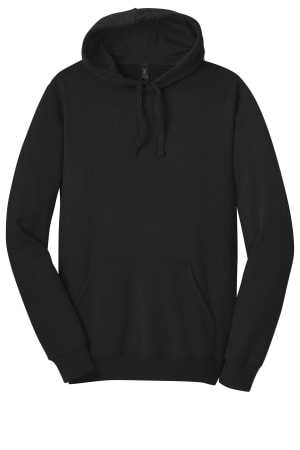
- District The Concert Fleece Hoodie (DT810)
- 44 Arc Auto-Open Folding Umbrella
FAQ
Does the vector artwork checklist apply to personalized orders too? Yes. Personalized names and custom logos both need clean artwork. I only have a JPG. Can I still order? Yes. Send it; free vectorization is offered. Build time for the redraw and proof. Do I need Pantone numbers? They speed spot-color matching. If you don’t have them, the team can propose closest matches on the proof. When does production start? After you approve the proof (and payment, unless on terms).
Sources
- https://www.promogator.com/artwork-requirements (Nov 5, 2026)
- https://www.promogator.com/rush-services
- https://www.promogator.com/eproofs-samples
Written with AI assistance and reviewed by Promogator Staff. Our editorial standards
Promogator Staff
Written and reviewed by the Promogator team. Our editorial standards
Products mentioned in this article
Live pricing — updated Nov 18, 2026.


Get the full guide
We will email you the complete version, including the pricing worksheet.



