














How to Read Promo Product Quote Line Items
Setup, run, imprint, shipping, and the production clock—what buyers should verify before approving.
 By Promogator Staff
•
•
5 min read

A promotional products quote is easy to skim and easy to misunderstand. Learning how to read promo product quote line items saves budget surprises, missed in-hands dates, and awkward reprint conversations. The goal is not to memorize industry jargon—it is to verify five clusters of information before you approve: blanks and quantities, decoration (setup and run), imprint specs, shipping, and the production clock.
1. Product lines, quantities, and colors
The first pass of how to read promo product quote sheets is simply: does every line match the brief you thought you approved?
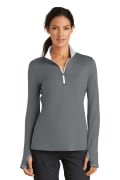
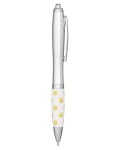
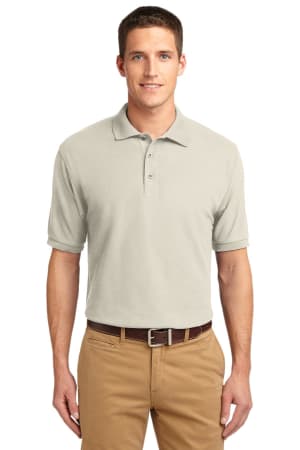
Each product line should name the item clearly enough that you can open the matching catalog page. Confirm quantity breaks, colorways, and sizes (for apparel) match what you intended. Example mix for a starter kit might include a pen such as the Seattle Click Pen (EP-NI-60), a notebook such as the Prisma Recycled Paper Journal Notebook (PRIMELINE-NB162), and apparel such as the Port Authority Silk Touch Polo (SANMAR-K500)—three different decoration and lead-time profiles on one quote.
If a line says “assorted” colors or sizes, ask for the breakdown. Assortments that look fine on paper can strand you without enough large polos or with too many of a secondary brand color.


2. Setup charges vs run charges
Quotes often separate setup (one-time preparation for the decoration method) from run (per-piece decoration). Screen and pad print may charge setup per color. Embroidery may include digitizing. Some digital methods show little or no setup. Promogator also distinguishes free artwork preparation/vectorization from decoration setup charges that appear under a product’s setup and pricing details.
What to verify:
- Is setup per color, per location, or per order?
- Are extra imprint colors listed?
- Is digitizing or a die called out for embroidery, deboss, or foil?
- Will reorders reuse the same setup or digitizing file?
If two products share similar imprint methods, ask whether setups can be optimized—do not assume they combine automatically.
3. Imprint method, location, and artwork assumptions
A quote is incomplete without imprint method and location (for example left chest vs full front, or barrel vs clip). Confirm the method matches the look you want and the fabric or substrate you chose. Vector artwork and PMS colors up front reduce proof cycles. Unlimited proof revisions are only helpful if someone on your team is available to approve quickly.
4. Shipping, tax, and “billed after shipment”
Shipping and tax are often calculated at checkout or estimated on the quote. Some products lack complete carton data from suppliers; those may ship with freight billed after shipment based on actual carrier cost. Large orders can move from parcel to LTL freight. For hard deadlines, ask whether ground, 2-day, or overnight is assumed—and whether that transit time is included in the promised in-hands date.
5. The production clock (this is where dates slip)
On Promogator’s published rush and production guidance, production time is counted in business days and starts after proof approval and payment (approved terms accounts start when the proof is approved). Shipping transit is extra. Standard production is commonly about 7–10 business days for many methods and about 10–14 for embroidery. Rush is typically 3–5 business days; Super Rush is 24–48 hours on select products and methods. Desk/office items and drinkware can be among the fastest categories; bags and tech often need more runway.
When you read a quote’s date language, translate it:
- When will the proof arrive?
- How fast can your team approve?
- How many production business days follow approval?
- How many transit days follow ship?
- What buffer remains before the true in-hands need?
A quote that shows only “ships in X days” without clarifying the proof gate is incomplete for planning.
Rush line items and surcharges
Rush and Super Rush may add a surcharge; your rep should confirm it before you approve. Rush still includes a proof—it prioritizes the queue rather than skipping quality checks. If the quote includes rush, confirm the tier name (Rush vs Super Rush), the business-day window, and whether expedited shipping is already included or still optional.
How to read promo product quote: approval checklist
- SKUs, colors, sizes, and quantities match the brief.
- Setup and run charges are itemized and understood.
- Imprint method, location, and colors are explicit.
- Shipping method and any post-ship freight language are clear.
- Production start trigger (proof + payment/terms) aligns with your calendar.
- In-hands date includes a buffer.
Knowing how to read promo product quote details turns a PDF into a project plan. If any of the five clusters above is vague, ask before you approve—fixes are cheaper on the quote than after decoration starts.
When the quote includes rush, cross-check tiers on rush services and filter rush-eligible products.
Cross-check decoration readiness with artwork requirements, align dates to rush services, and treat the e-proof as the real start of production—not the day you first requested the quote.
Related reading: promotional product budgets by per-person spend and 2027 branded merchandise budget planning.
Sources
- Promogator Rush Services — standard, rush, and super rush tiers; proof-gated production clock; method timing table.
- Promogator company policy notes on production, setup charges, and shipping (customer-facing production and fees guidance).
- Seattle Click Pen, Prisma Recycled Paper Journal Notebook, Port Authority Silk Touch Polo K500
Written with AI assistance and reviewed by Promogator Staff. Our editorial standards
Promogator Staff
Written and reviewed by the Promogator team. Our editorial standards
Products mentioned in this article
Live pricing — updated Nov 18, 2026.


Need a quote?
Tell us what you have in mind and we will come back with pricing, lead times and options — no obligation.



