

















Can you pad print or UV print a logo near a clip, ring or moving part?
 By Promogator Staff
Reviewed Nov 17, 2026 3 min read
Yes, usually. Pad and UV printing both work on small, curved or uneven items, but the logo must sit on a flat or gently curved area that does not move. Printers place the imprint away from clips, rings, hinges and flip-top lids. A proof shows the exact spot before anything is printed.
- Print goes on a fixed surface, not on the moving part itself.
- Pad printing handles small, curved and slightly recessed areas well.
- UV printing works flat and needs an even, stable surface.
- Ink can scuff where parts rub, flex or open and close.
- Check the proof for placement and size before approving.
Why moving parts matter
A printed logo is a thin layer of ink. It looks best on a surface that stays still. A clip arm, a ring, a hinge or a flip-top lid moves, rubs and flexes. Ink on those spots can scuff, crack or wear off early.
There is also a practical problem. Both methods need the item held steady, and the print surface needs to be reachable and fairly even. A hinge, a spring or a ring edge can stop the printer from reaching the area cleanly.
So the usual answer is to print next to the moving part, not on it.
How each method handles it
Pad printing uses a soft silicone pad to pick up ink from an etched plate and press it onto the product. The pad is flexible, so it can reach curved, rounded or slightly recessed spots. That makes it a common choice for small items such as pens, keychains, lighters and flashlights. Pad printing is typically limited to a few ink colors, and each color adds setup.
UV printing prints directly onto the item and cures the ink with UV light. It can handle full-color artwork and fine detail. It works best on flat or nearly flat surfaces. The print head needs a fairly even area, so a surface that tilts, steps or sits close to a hinge can be hard to print.
Common examples
- Flip-top lids: the top of the lid is often printable, but the hinge edge and the seam where the lid opens usually are not. Keep the logo away from the seam.
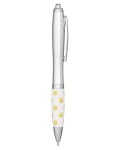
- Clips: a pen clip or badge clip is metal or plastic that flexes. Print on the barrel or the flat body, not on the clip arm.
- Key rings and split rings: print on the tag, fob or flat face of the item, not on the ring.
- Small hinged items: keep the design clear of the hinge line and the edge where parts meet.
Mistakes to avoid
- Making the logo too big. A large design may run into the moving part or a curve. Ask for the real imprint area for your item.
- Wrapping the logo across a seam or hinge. The ink will break at the gap.
- Using very fine lines or tiny text. Small text under about 6 pt and very thin lines may not reproduce well.
- Assuming the picture shows the print area. Product photos do not always mark the usable area. Each product page lists its imprint methods and locations.
What to do before you order
- Look at the imprint area on the product page.
- Send your logo, preferably as a vector file.
- Review the digital proof. It shows placement and size on the actual product.
- If the spot is too close to a moving part, ask for a different location or a smaller logo.
If the area is too tight, another method may fit better. Laser engraving, for example, works on some metal items, and a different product with a larger flat face may suit your design.
Products that work for this
Real examples from our catalog, with live pricing. Tap one to see it with your logo.


Shop Pens & Writing
See all →


People also ask
Can I print on a flip top lid or clip?
Often you can print the flat top of a flip-top lid, but not the hinge or the seam where it opens. Clips flex, so printers usually place the logo on the fixed body beside them. The product page lists approved imprint locations.
Can you print near a ring or hinge on a small item?
Yes, if there is a flat, stable area next to it. Keep a small margin from the ring or hinge so the ink does not rub or crack. A smaller logo often fits better on tiny items.
Will the imprint area avoid moving parts?
Usually, but check. Imprint areas are set per product, and the digital proof shows exactly where your logo lands. If it sits too close to a moving part, ask for changes before you approve.
Will a printed logo wear off where parts rub together?
It can. Ink on flexing or rubbing surfaces wears faster than ink on fixed ones. Placing the logo on a still surface is the best way to keep it looking sharp.
Ask PromoAI these questions
Tap one and PromoAI searches our live catalog and answers in seconds.

