










See your logo stitched — before you order
Embroidery is hard to picture from a flat logo. Our online designer now shows a photo-real stitched preview of your logo or text on 9,200 embroidered products — with the real stitch count, size and thread colors.
 Built on embroidery technology from Wilcom, the makers of EmbroideryStudio.
- 9,000+embroidered products
- Isacord 40thread color matching
- Secondsto a stitched preview
 Real Wilcom stitched preview
How it works
From flat logo to real stitches in seconds
Promogator connects our online designer to the Wilcom Embroidery Web API — the same company behind EmbroideryStudio, the software many professional embroiderers use every day.
You upload your logo
Any PNG, JPG, SVG or PDF. Place it on the shirt, hat or bag where you want it stitched.
Wilcom digitizes it
Your artwork is converted into stitches at its real size — the step embroiderers call digitizing.
You see TrueView™
Wilcom's photo-real TrueView™ render shows every stitch, plus the stitch count and thread colors.
We perfect it
After you order, our digitizer prepares the production file and you approve a proof before anything is sewn.
Step by step
How to use the embroidery designer on apparel
It works the same way on every embroidered product — polos, tees, caps, jackets, fleece, workwear and bags.
Open the designer on an embroidered product
Go to any shirt, polo, hat, jacket or bag that offers embroidery and click Preview Your Logo. On apparel you will find it in the blue Decoration Info card under the photos.
Upload your logo and pick the location
Upload your logo (PNG, JPG, SVG or PDF) and click its tile — it drops into the dashed box, the left-chest (or other) area mapped for that exact product, centered and sized to fit. Choose another Location when the product offers one; the Imprint Area box shows the maximum embroidery size for that spot.
Select Embroidery and click See it stitched
Under Imprint Method choose Embroidery, select your logo on the product, then click See it stitched. In a few seconds the flat artwork is replaced by a photo-real stitched preview made with Wilcom technology. Click Show flat to switch back.
Check stitches, size and threads
Under the button you see the stitch count, number of threads and the real size in inches. Each thread is matched to an Isacord 40 color — click Change next to a thread to try another color.
Add embroidered text
Use Add text for names, taglines or team names. In the Embroidery lettering settings pick a real embroidery font, set the Letter height in inches, and choose Straight, Arch up or Arch down.
Save or order
Click Save Design (or Email me a link as a guest), or BUY NOW to order. After you order, our team prepares the production embroidery file and sends you a proof to approve before anything is sewn.

Live demo
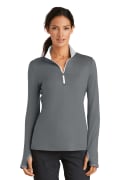
See real Wilcom embroidery on a Nike polo
Every design below is a real stitched render produced by Wilcom for Promogator, centered on the left chest exactly where it is mapped for this Nike polo, at true relative size. Pick one to see it on the shirt.



 Your PNG
Stitched
Your PNG
Stitched
Want it with your own logo? Open any embroidered product, click Preview Your Logo, choose Embroidery and click See it stitched.
Stitch my logo →Brands
Works on the apparel brands you already love
Embroidery previews are available on every product we offer with embroidery — 9,200 items across brands like these. Click a brand to shop its embroidered products.
 Port Authority736 embroidered
 Sport-Tek448 embroidered
 Elevate376 embroidered
 Red Kap320 embroidered
 Augusta Sportswear265 embroidered
 OGIO249 embroidered
 Leed's213 embroidered
 Badger174 embroidered
 Dickies172 embroidered
 Holloway164 embroidered
 Boxercraft159 embroidered
 adidas153 embroidered
 District143 embroidered
 Alleson Athletic138 embroidered
 Bulwark136 embroidered
 Carhartt133 embroidered
 Devon & Jones128 embroidered
 CORE365126 embroidered
 Bella + Canvas124 embroidered
 J America123 embroidered
 Nike123 embroidered
 Dri Duck120 embroidered
 Kishigo119 embroidered
 New Era115 embroidered
Sizes & specs
Embroidery guidelines at a glance
Good to know before you place your logo. The designer applies these limits for you.
| Typical left-chest logo | About 3.5″ wide |
|---|---|
| Typical cap front | About 4″ × 2.25″ |
| Maximum size per location | Shown in the Imprint Area box for each product and location |
| Smallest legible text | About 5 mm (0.2″) tall; most embroidery fonts start at 6 mm, script fonts at 12 mm |
| Automatic stitched preview | Designs up to about 5.9″ × 5.9″ — larger designs (jacket backs) are digitized by hand |
| Thread colors | Isacord 40 range; the color limit for each product is shown on its Embroidery card (for example Up to 15 colors) |
| Artwork you can upload | PNG, JPG, SVG or PDF — bold shapes and solid colors stitch best |
| Production files | Prepared by our digitizer in Wilcom EmbroideryStudio (EMB) with machine files such as DST, and proofed for your approval |
FAQ
Embroidery preview questions
What is Wilcom?
Wilcom makes professional embroidery software, including EmbroideryStudio, used by embroidery businesses around the world. Promogator integrates the Wilcom Embroidery Web API so you can see real stitched previews of your artwork on our website.
What does See it stitched show me?
A photo-real preview of your logo or text as embroidery — individual stitches, thread sheen and depth — at the real size of your design, together with the stitch count, the number of thread colors and the size in inches.
Which products can I preview embroidery on?
Every product that offers embroidery as a decoration method — currently 9,200 items including polos, t-shirts, caps, outerwear, fleece, workwear and bags from brands like Port Authority, Sport-Tek, Nike, Carhartt and OGIO. Look for Embroidery under Imprint Method in the designer.
Is it free?
Yes. Guests get a set number of free stitched previews (the designer shows how many are left), and signing in to a free account unlocks unlimited previews. Repeating a preview of the same logo, size and threads does not use one up.
Can I change the thread colors?
Yes. Each thread in the preview is matched to the Isacord 40 thread range. Click Change next to a thread to pick a different color. On-screen colors are approximate — your proof lists the exact thread numbers.
How small can embroidered text be?
As a rule of thumb, text under about 5 mm (0.2") tall will not stitch legibly. Most embroidery fonts work from about 6 mm; some script fonts need 12 mm or more. The designer limits Letter height to what each font can sew cleanly.
What size is a typical embroidered logo?
A left-chest logo is usually about 3.5" wide and a cap front about 4" × 2.25". The Imprint Area box in the designer shows the maximum size for each location on that product.
Is the preview my final embroidery file?
No. The preview is an image so you can decide with confidence. For production our team creates the embroidery file (with Wilcom EmbroideryStudio formats and machine files such as DST), a digitizer reviews it, and you approve a proof before anything is sewn.
How many thread colors can my logo have?
It depends on the product — the Embroidery card in the designer shows the limit (for example Up to 15 colors). Fewer colors usually means a cleaner, more cost-effective result.
My logo is very detailed or has gradients. Will it work?
Embroidery works best with bold shapes and solid colors. Fine gradients, photos and hairline details are simplified when stitched. Preview it first; if it needs adjusting, our digitizer will suggest the best way to stitch it.
Can I use embroidery on large areas like jacket backs?
Yes. Automatic previews cover designs up to about 5.9" square; larger designs such as jacket backs are digitized by our team by hand and proofed for your approval.
See your logo stitched today
Open any embroidered product, click Preview Your Logo, and hit See it stitched.
Wilcom, EmbroideryStudio and TrueView are trademarks of Wilcom. Promogator integrates Wilcom embroidery technology; stitched previews are representations and on-screen thread colors are approximate.

